
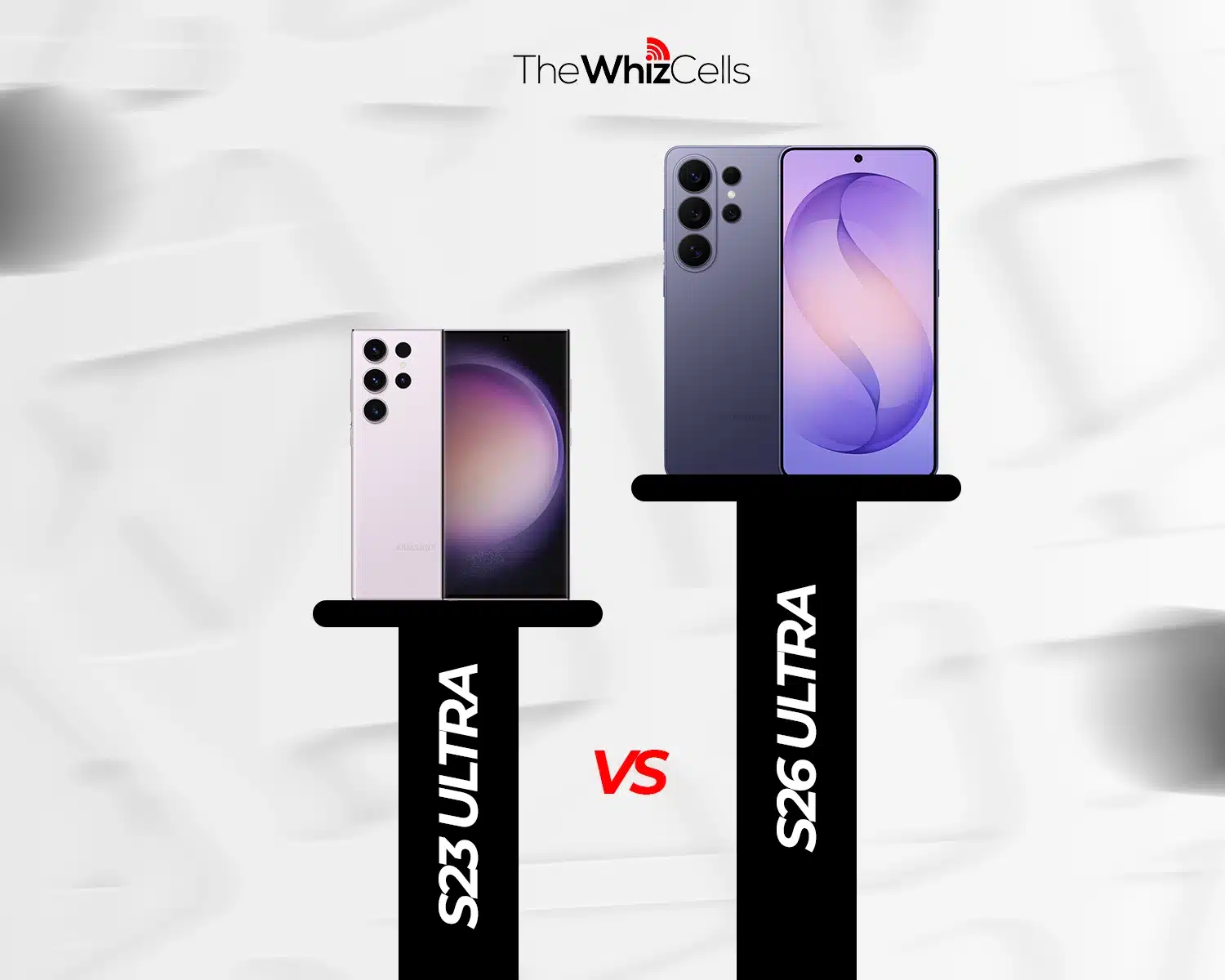
In tech, three years is a long time; for most flagship phones, that means three new generations of devices supposedly packed with better features.
In this article, we’ll compare the latest Samsung Galaxy S26 Ultra with the Samsung Galaxy S23 Ultra in 2026, making it three years old. We’ll compare everything to see if the S26 Ultra is actually a meaningful multi-generational leap or just three years of incremental refinements dressed up as a flagship upgrade. We’ll cover:
- Samsung S26 Ultra vs S23 Ultra Performance Difference
- Samsung S26 Ultra vs. S23 Ultra Camera System
- Samsung S26 Ultra vs. S23 Ultra Display
- Samsung S26 Ultra vs. S23 Ultra Design
- Samsung S26 Ultra vs. S23 Ultra Software and AI Features
- Samsung S26 Ultra vs. S23 Ultra Battery and Charging
And most importantly, who should upgrade to the Samsung Galaxy S26 Ultra from the Samsung Galaxy S23 Ultra, and who shouldn’t. Plus a special bonus tip at the end.
Samsung Galaxy S26 Ultra vs Samsung Galaxy S23 Ultra Specs
| Specs | Samsung Galaxy S26 Ultra | Samsung Galaxy S23 Ultra |
| Weight | 214 g | 234 g |
| Display | 6.9 inches, 1440 x 3120 pixels, Dynamic LTPO AMOLED 2X, 120Hz, HDR10+, 2600 nits (peak), Corning Gorilla Armor 2. | 6.8 inches, 1440 x 3088 pixels, Dynamic AMOLED 2X, 120Hz, HDR10+, 1750 nits (peak), Corning Gorilla Glass Victus 2. |
| Processor Chipset | Qualcomm Snapdragon 8 Elite Gen 5 For Galaxy (3 nm) | Qualcomm SM8550-AC Snapdragon 8 Gen 2 For Galaxy (4 nm) |
| Internal memory | 256GB 12GB RAM, 512GB 12GB RAM, 1TB 16GB RAM | 256GB 8GB RAM, 256GB 12GB RAM, 512GB 12GB RAM, 1TB 12GB RAM |
| Rear camera | 200 MP main
50 MP periscope telephoto 10 MP telephoto 50 MP (Ultra wide) |
200MP main
10MP periscope telephoto 10MP telephoto 12MP (Ultra wide) |
| Front Camera | 12MP | 12MP |
| Battery capacity | 5000mAh | 5000mAh |
| Charging speed | 60W wired
25W wireless (Qi 2.2) 4.5W reverse wireless |
45W wired
15W wireless (Qi) 4.5W reverse wireless |
| Release date | 2026, February 25th | 2023, February 01 |
 Samsung S26 Ultra vs. S23 Ultra: Design and Build
 Samsung S26 Ultra vs. S23 Ultra: Design and Build
The design and build of the Samsung S23 Ultra and S26 Ultra are so similar yet so different. Starting with the similarities, both phones use aluminum frames, Corning’s Gorilla Glass on the back, a vertical camera arrangement, an S Pen silo at the bottom, and IP68 water and dust resistance. On paper, they sound like the same phone.
The differences, though, tell the complete story. The S23 Ultra holds onto the old Galaxy Note style: sharp corners, slightly curved display edges, and a back that curves toward the sides. The S26 Ultra takes a different direction, completely leaving behind the Galaxy Note style with a flat display, rounded corners, and a flat back. Samsung also swapped in Armor Aluminum 2 for the frame and added Gorilla Armor 2 on the front, both of which are meaningfully tougher than what the S23 Ultra offers.
The differences don’t stop there; the S26 Ultra is 1 mm thinner at 7.9 mm and 20 grams lighter, which doesn’t sound like much until you hold both phones, especially for longer periods.
Overall, the build of the S26 Ultra is a solid upgrade over the S23 Ultra; it’s tougher while being lighter and more comfortable to hold. Design preference is subjective here. The S23 Ultra’s boxy Note-inspired look with its curved screen still has its fans, and I’ll admit I’m one of them.
Samsung S26 Ultra vs. S23 Ultra Display
If there’s one thing Samsung’s known for, it’s beautiful Ultra displays. With three years between them, the S26 Ultra has made significant display leaps.
The S26 Ultra is almost 1000 nits brighter than the S23 Ultra, with both devices sporting 2600 nits and 1750 nits of peak brightness, respectively. There’s also the excellent anti-reflective coating on the newer phone, which the S23 Ultra is lacking entirely. Translation: The S26 Ultra is much easier to use, especially in direct sunlight.
The S23 Ultra uses a curved display, while the S26 Ultra goes flat. The curve looks better, no argument there, but flat wins on functionality. This matters more on an Ultra than any other Samsung phone because a curved display and an S Pen are a frustrating combination, especially near the edges, where you actually need precision.
The S26 Ultra also has a Privacy Display feature, which lets you limit screen visibility to anyone looking from an angle. It’s a genuinely useful addition, especially in public spaces, and it’s not coming to the S23 Ultra.
Lastly, the S26 Ultra has a slightly sharper and taller display with a better screen-to-body ratio. The S26 Ultra comes in at 6.9 inches with a 1440 x 3120 resolution and 90.7% screen-to-body ratio, while the S23 Ultra sits at 6.8 inches, 1440 x 3088, and 89.9%.
In short, the S26 Ultra’s screen is better than the S23 Ultra’s, and it’s not close.
Samsung S23 Ultra vs. S26 Ultra Performance
Performance is one of my favorite parts of these comparisons.
The Galaxy S26 Ultra features the all-new, cutting-edge Snapdragon 8 Elite Gen 5 for Galaxy, while the Galaxy S23 Ultra makes do with the 3-year-old Snapdragon 8 Gen 2 for Galaxy.
From the benchmarks below, the S26 Ultra is up to twice as fast as the S23 Ultra in multi-core performance and about 76% faster in single-core, but in real-life usage, you’d barely notice that gap. For everyday tasks and even heavy ones, the Snapdragon 8 Gen 2 on the S23 Ultra still does an impressive job. The S26 Ultra obviously does an even more impressive job, but not enough to make the S23 Ultra feel slow.
When it comes to cooling, the S26 Ultra does a better job, thanks to its redesigned vapor chamber. So the newer phone will sustain peak performance for longer without getting as warm.
| Benchmark Tool | Samsung Galaxy S26 Ultra | Samsung Galaxy S23 Ultra |
| Geekbench 6 | Single-core: 3619
Multi-core: 11010 |
Single-core: 2056
Multi-core: 5261 |
Samsung S26 Ultra vs. S23 Ultra Galaxy AI: What S23 Ultra Owners Are Actually Missing
Both phones run One UI 8.5, so on the surface, it looks like the software experience is identical. It isn’t.
The S23 Ultra gets One UI 8.5, but it’s a watered-down version of it. Several Galaxy AI features that come with the S26 Ultra are simply not available on the S23 Ultra. The missing list includes call screening, creative studio, an improved AI audio eraser, notification highlights, and Now Nudges.
Whether that’s down to the S23 Ultra’s older NPU hitting its limits or Samsung deliberately keeping features exclusive to push upgrades is up for debate. Either way, the result is the same: those features aren’t coming to the S23 Ultra, ever.
To be fair, the S23 Ultra does get some AI improvements with One UI 8.5. Photo Assist now supports continuous image generation, and Bixby gets a conversational upgrade with a conversation history panel. But these are refinements to things that already existed, not genuinely new capabilities.
The bigger picture is this: the Galaxy AI gap between these two phones is only going to grow. Every new AI feature Samsung ships will target the S26 Ultra first. The S23 Ultra will either get a stripped-down version of it or nothing at all.
See the full list of missing software features in the software section below.
Samsung S26 Ultra vs. S23 Ultra S Pen
The S Pen is where it gets a little bit disappointing.
Since the S23 Ultra, Samsung has basically downgraded the S Pen. First, unlike the S23 Ultra, there’s no Bluetooth in the S26 Ultra’s S Pen, meaning features like Remote Camera Shutter and Air Actions don’t work on the newer flagship.
Another change is how the S Pen inserts into the device. On the S23 Ultra, you can insert the S Pen into the device in any horizontal orientation. Now there’s a right way to insert the S Pen into its holster. Seemingly because of how thin the S26 is.
So, the S Pen on the 3-year-old Samsung Galaxy S23 is better than the one on the latest and greatest S26 Ultra.
Samsung S26 Ultra vs. S23 Ultra Camera System: The Biggest Reason to Upgrade?
Samsung has taken heat for incremental camera upgrades lately, and looking at the primary 200MP sensor alone, that criticism isn’t unfair. But compared to the S23 Ultra specifically, the full picture is more interesting.
The main camera keeps the same 200MP resolution but gains a wider f/1.4 aperture versus the S23 Ultra’s f/1.7. Samsung claims that it pulls in 47% more light, which shows up most in low-light and night shots, where the S23 Ultra was always decent but never dominant.
The ultrawide is the biggest jump. The S26 Ultra runs a 50MP sensor at f/1.9 against the S23 Ultra’s 12MP at f/2.2. That gap shows up in real shots, particularly in detail, low-light performance, and crops.
The periscope telephoto’s situation is intriguing. The S23 Ultra had a 10MP sensor at 10x optical zoom. The S26 Ultra uses 50MP at 5x, the same switch Samsung made with the S24 Ultra. The higher resolution sensor captures richer detail across the 3x to 10x range, and the wider f/2.9 aperture versus the S23 Ultra’s f/4.9 means significantly more light on zoom shots.
On video, the S26 Ultra is far ahead. It adds LOG recording, horizontal lock, and AI-enhanced 4K framing that crops into the 8K sensor.
In the end, the primary camera upgrade is real but subtle. The ultrawide, telephoto, and video are where S23 Ultra owners will actually notice the difference.
Samsung S26 Ultra vs. S23 Ultra Battery Life and Charging
Both devices use 5000mAh batteries, but somehow the S26 Ultra lasts around 3 hours longer.
In truth, the optimization and efficiency gains from the newer chip are behind the leap in battery life despite both devices having the same capacity.
Another major improvement is the charging speed. For years, Samsung stuck to a 45W charging speed, seemingly reluctant to increase the charging speed. But with the S26 Ultra, Samsung finally delivered 60W fast charging. To put the difference into perspective, the S23 Ultra takes nearly 1 hr 20 minutes to charge from 0-100%, while the S26 Ultra takes 45 minutes.
Wireless charging has also been improved to 25W, up from 15W on the S23 Ultra.
Samsung S26 Ultra vs. S23 Ultra Software
As expected, the Samsung Galaxy S26 Ultra ships with Samsung’s latest software, One UI 8.5. The S23 Ultra also received this update and is currently running the same software, but as I pointed out in the Galaxy AI section, the S23 Ultra’s version of OneUI 8.5 is missing a number of Galaxy AI features.
Looking at the long term, the S26 Ultra stomps its 3-year-old predecessor. The S26 Ultra will receive major OS updates for the next 7 years, meaning it’ll receive Android 23 in 2033. Meanwhile, the S23 Ultra’s software update is on its last lap. The upcoming OneUI 9 Android 17 update will be the last for the S23 Ultra, ending its 4 years of support. But the device will still continue to receive security patch updates for a few more years.
List of features missing in the S23 series
Galaxy AI and Software Features
- Call Screening
- Audio Eraser
- Now Brief
- Natural Language Search
- Creative Studio
- Notification Highlights
- Now Nudges
- On-device writing assist
- Full-screen always-on display wallpapers
- Airdrop in Quickshare
Camera Features
- Log Video Recording
- 4K at 120 fps Video Recording
- Zoom Anyplace (was S24 Ultra exclusive, still locked out on S23 Ultra)
- Advanced Motion Photo Settings
- 24MP Capture Mode in Expert RAW
- Lens Switching at 4K 60fps
Should You Upgrade to the S26 Ultra?
The S26 Ultra is the better phone in almost every measurable way. But “better” doesn’t automatically mean “worth it for you.” Here’s how to think about it:
Upgrade if:
- Your S23 Ultra’s battery is degrading. Three years of charge cycles add up, and a weakening battery changes the daily experience more than any spec upgrade.
- You shoot a lot of photos, especially ultrawide or zoom shots, where the camera gap is most visible.
- Galaxy AI features are part of your workflow, and you’re tired of hitting the exclusivity wall.
- You’re planning to sell anyway. The S23 Ultra’s trade-in value is only going one direction from here.
Skip or wait if:
- Your S23 Ultra still runs well, and battery health is solid. The performance gap exists, but it won’t make your current phone feel slow.
- You rely heavily on the S Pen. The S26 Ultra’s stylus is actually a step back, losing Bluetooth and the flexible insertion orientation.
- You want better value. Waiting for a price drop on the S26 Ultra or holding out for the S27 Ultra cycle are both reasonable plays.
Where to Sell Your Samsung Phone for the Most Money
 The Whiz Cells is the best place to sell your Samsung Galaxy S23 Ultra and put that money toward an upgrade. The process takes less than five minutes, and payment lands within one business day of them receiving your phone.
Where you sell matters as much as when, and right now is the right time. The S23 Ultra still holds decent resale value, but that window is closing. Every new Samsung flagship pushes older device values down, and a three-year-old phone sitting in your drawer is only going one direction price-wise.
How to Sell Your Samsung Phone to The Whiz Cells
- Go to TheWhizCells.com.
- Search for your device.
- Select your device details: carrier (network status), storage, condition, and whether or not the device is paid off.
- Receive your offer and click checkout.
- Follow the on-screen instructions.
Selling your Samsung S23 Ultra to The Whiz Cells equals the most money with the least hassle.
Samsung S26 Ultra vs. S23 Ultra: Final Verdict
Three years of upgrades have added up in ways that matter: a significantly better camera system, a brighter and more functional display, faster charging, and longer software support. The S26 Ultra is a genuinely better phone.
But the upgrade isn’t a slam dunk for everyone. If your S23 Ultra is still running well, the honest answer is that you can wait. If the battery is fading, the camera gap is frustrating you, or Galaxy AI exclusives are features you actually want, now is the right time and, more importantly, the right time to get decent value out of your S23 Ultra before trade-in prices fall further.
Frequently Asked Questions About the S26 Ultra vs. the S23 Ultra
Is it worth upgrading from the S23 Ultra to the S26 Ultra?
It depends on your situation. If your S23 Ultra’s battery is degrading, you shoot a lot of photos, or Galaxy AI features matter to your workflow, the upgrade makes sense. If your S23 Ultra is still running well, you can wait. The one timing factor worth considering is resale value: the S23 Ultra still holds decent trade-in value now, but that window is closing.
What is the difference between the S23 Ultra and S26 Ultra?
The biggest differences are the chipset (Snapdragon 8 Elite Gen 5 vs. 8 Gen 2), the camera system (50MP ultrawide vs. 12MP, 50MP periscope vs. 10MP), display brightness (2600 nits vs. 1750 nits), charging speed (60W vs. 45W), and software longevity (7 years of updates vs. 1 remaining). The S26 Ultra is also lighter and thinner.
Which is better, S23 Ultra or S26 Ultra?
The S26 Ultra is the better phone on almost every spec. The one exception is the S Pen, where the S23 Ultra actually wins thanks to Bluetooth support and flexible insertion orientation that the S26 Ultra dropped.
Can I use an S23 Ultra case on the S26 Ultra?
No. While both phones share the same width, the S26 Ultra is slightly taller, thinner, has a flat back, rounded corners, and a different camera layout. S23 Ultra cases will not fit properly.
Can you put a SIM card in the S26 Ultra?
Yes. The S26 Ultra supports a nano SIM card as well as eSIM. Dual SIM support is available depending on your region and carrier variant.
Will the S23 Ultra S Pen work with the S26 Ultra?
No. The S Pen is not cross-compatible between Ultra models. Each S Pen is designed specifically for its device and fits into that phone’s silo.
Is the S26 Ultra smaller than the S23 Ultra?
Not exactly. The S26 Ultra is slightly taller with a larger 6.9-inch display versus the S23 Ultra’s 6.8 inches, and they share the exact same width. However, the S26 Ultra is 1 mm thinner and 20 grams lighter, so it feels smaller and more comfortable in the hand, even though it has a bigger screen.
What is the best place to sell a Samsung Galaxy S23 Ultra?
The Whiz Cells is the best place to sell your Samsung Galaxy S23 Ultra if you want the most money with the least hassle. You get a competitive offer in under five minutes, and payment arrives within one business day of them receiving your phone. No listings, no waiting, no hassle.
What is the best place to sell a Samsung phone online?
The Whiz Cells is the best place to sell your Samsung phone online. Get an offer in under five minutes, and payment arrives within one business day of them receiving your device. Fast, straightforward, and no listing headaches.
