
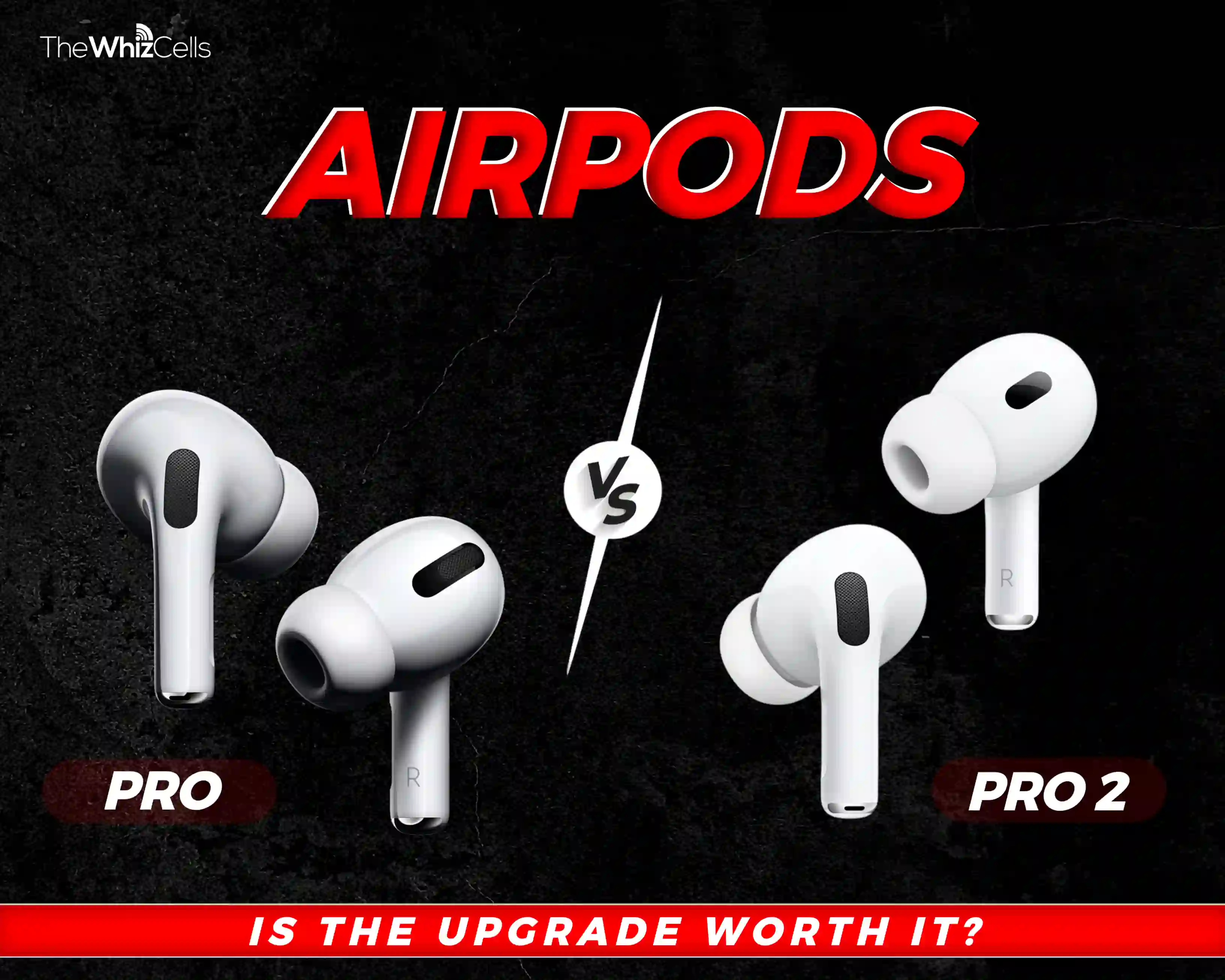
If you’ve been using the original AirPods Pro since 2019, you’ve probably noticed the signs: the battery doesn’t last the way it used to, the noise cancellation feels less impressive than it did on day one, and the case has picked up a few scratches along the way. It’s a fair moment to ask whether the AirPods Pro 2 is worth the upgrade.
On paper, the two models look almost identical. Under the hood, Apple changed a lot: a new H2 chip, up to twice the noise cancellation, longer battery life, and a trackable charging case with its own speaker. And with the AirPods Pro 3 now on shelves, the Pro 2 has become the value pick for anyone who wants a real upgrade without paying for Apple’s newest model.
In this guide, I’ll compare the original AirPods Pro (AirPods Pro 1) and AirPods Pro 2 across design, noise cancellation, battery life, tracking, and durability so you can decide if the switch makes sense. I’ll also show you how to easily turn your old pair into cash to help cover the cost.
AirPods Pro vs AirPods Pro 2 Design
When the earbuds are placed side by side, you can hardly tell the difference. Both keep the same white, rounded design and nearly identical size and weight.
The charging case is where the differences show up. The AirPods Pro 2 case adds a built-in speaker and, on the 2023 model, a charging port upgrade from Lightning to USB-C.
Other upgrades on the AirPods Pro 2 include on-bud volume control and a lanyard loop on the case (for attaching straps to avoid drops or losing the device).
AirPods Pro vs. AirPods Pro 2- Sound Quality
Both models sound great, and if you’re expecting a night-and-day difference, you may be surprised. The gap here is smaller than in noise cancellation or battery life.
The AirPods Pro 2 comes with a newer low-distortion driver and custom amplifier that the original AirPods Pro doesn’t have. The biggest change you’ll hear is in the bass. The Pro 2 delivers deeper, fuller low end, which gives your music a bit more punch, especially when you’re listening outdoors or on the move. Mids also sound slightly cleaner, and there’s less distortion at higher volumes.
Both models use Apple’s Adaptive EQ, which automatically tunes the sound to the shape of your ears and how the earbuds fit. Both also support Personalized Spatial Audio with dynamic head tracking for Dolby Atmos music and movies, though the feature performs better on the Pro 2.
Bottom line: if sound quality is your only reason to upgrade, the difference may feel modest. But combined with the Pro 2’s stronger noise cancellation, which lets you hear more of your music without cranking the volume, the overall listening experience is a clear step up.
AirPods Pro vs AirPods Pro 2 Noise Cancellation and Transparency Mode
The two Pro models have the Active Noise Cancellation (ANC), and Transparency Mode. However, the difference in quality is noticeable.
Apple introduced a new H2 chip in the AirPods Pro 2, delivering up to twice the noise cancellation of the first generation. In practice, that means more background noise, including low-frequency sounds like engine hum, gets filtered out.
Additionally, the AirPods Pro 2 supports Adaptive Audio, which dynamically blends ANC and Transparency based on your environment. This feature arrived through a 2023 software update, so it works on both the Lightning and USB-C versions of the Pro 2.
AirPods Pro vs AirPods Pro 2 Charging and Battery Life
The AirPods Pro 1 uses the Lightning port found on earlier AirPods models. The AirPods Pro 2 also launched with Lightning, but a 2023 refresh introduced the USB-C port.
The AirPod Pro 1 has a 4 hour, 30 minutes listening time on a single charge with ANC turned on (~5 hours with it turned off), and 24 hours with the case power.
Meanwhile AirPod Pro 2 lasts 6 hours on a single charge with ANC turned on, and 30 hours with the case.
Find My
Both Pros support Apple’s Find My, but the tracking capabilities of the AirPods Pro 2 are far better.
The AirPods Pro 1 shows the earbuds’ location on a map and can play a sound when nearby. The AirPods Pro 2 adds Precision Finding, which uses on-screen arrows and distance readings to guide you to your case, almost like a radar.
The original AirPods Pro tracker only works on the buds, since the case can’t be tracked on its own. The Pro 2, on the other hand, has explicit case tracking with a speaker for audio alerts.
AirPods Pro vs AirPods Pro 2 Calling Performance
Voice call quality remains very similar between both models, as they use a similar microphone layout. However, the AirPods Pro 2 handles background noise slightly better on calls.
Pro tip: you can press the stem to mute or unmute yourself during a call. This feature works on both Pod Pros.
Resistance Showdown
Both AirPods Pro models are resistant to water and sweat. However, the AirPods Pro 2 extends that protection to the charging case, and the USB-C version fixes another common issue: dust. With an IP54 rating on both the earbuds and case, it beats the AirPods Pro 1 in yet another category.
Pros and Cons
AirPod Pro 1:
Pros:
- Good sound quality.
- Comfortable fit.
- Standard ANC and Transparency Mode.
- Costs less on the used market.
Cons:
- Shorter battery life.
- No on-bud volume controls.
- The charging case can’t be tracked with Find My.
- Basic tracking capabilities.
AirPod Pro 2:
Pros:
- On-bud swipe volume controls.
- Advanced tracking with Precision Finding.
- Trackable charging case with a built-in speaker for alerts.
- Stronger ANC and Transparency Mode.
- Adaptive Audio.
- Better battery life.
Cons:
- Looks so much like the Pro 1 that telling them apart is difficult.
- Costs more than a used Pro 1, and the newer AirPods Pro 3 sits above it.
Final Verdict: Is It Time To Upgrade?
The AirPods Pro 2 wins in nearly every category, with call quality being the closest match. You get better sound quality, stronger noise cancellation, longer battery life, Adaptive Audio, on-bud volume controls, and a charging case you can track and ring when it goes missing.
For most AirPods Pro 1 owners, the upgrade is worth the money. The only reason to hold off is if your current pair still performs well for how you use it, or if you’d rather stretch your budget to the AirPods Pro 3.
What to Do With Your Old Pair?
 Do you know that your old pair of AirPods is not useless and can be traded in for cash to offset your upgrade cost?
The Whiz Cells is a direct AirPods buyback platform that buys used AirPods for actual cash. Shipping is free and payment is processed within 24 hours of your device arriving. Here’s how to sell your old AirPods Pro for cash.
How to Sell Your Used AirPods Pro
- Go to TheWhizCells
- Navigate to Audio, and click on Apple.
- Choose the Apple Airpods you’re selling.
- Confirm the device condition, and whether or not the device is paid off.
- Lock in your quote, get an offer, and click checkout.
- Follow the on-screen instructions to ship your AirPods for free.
- Get paid within 24 hours of your AirPods arriving.
Frequently Asked Questions
Does The Whiz Cells accept Audio devices?
Yes, The Whiz Cells recently added audio devices such as Apple AirPods to their catalog.
Can I still sell my AirPods Pro 1?
Yes, you can sell your Airpods Pro 1 to buyback platforms like The Whiz Cells for cool cash.
How do I tell the difference between AirPods Pro 1 and 2?
The quickest way is to check the model number. On your iPhone, go to Settings, tap your AirPods, and scroll to the About section. You can also find the number printed on each earbud near the base of the stem. AirPods Pro 1 earbuds are A2083 and A2084, while AirPods Pro 2 earbuds are A2698, A2699, or A2931 for the Lightning version, and A3047, A3048, or A3049 for the USB-C version. The case also gives it away: the AirPods Pro 2 case has speaker holes on the bottom and a lanyard loop on the side, while the AirPods Pro 1 case has neither.
Is it worth it to upgrade from AirPods Pro to Pro 2?
For most people, yes. The AirPods Pro 2 offers up to twice the noise cancellation, 6 hours of listening time compared to 4.5 hours, on-bud volume controls, Adaptive Audio, and a charging case you can track with Precision Finding. If your AirPods Pro 1 battery has started to fade, the upgrade makes even more sense. The main reason to wait is if your current pair still works well for you, or if you’d rather put the money toward the AirPods Pro 3.
Are AirPods Pro and AirPods Pro 2 better?
The AirPods Pro 2 is better in nearly every way. It has stronger noise cancellation, longer battery life, fuller bass with lower distortion, better tracking, and improved durability. The original AirPods Pro still holds up for everyday listening, and call quality is close between the two, but the Pro 2 is the stronger pair overall.
What is the lifespan of AirPods Pro?
Most AirPods Pro last around 2 to 3 years, or roughly 300 to 500 charge cycles, before the battery noticeably declines. Heavy daily use can shorten that, while good charging habits can stretch it. Since the first AirPods Pro launched in 2019, many original pairs are well past that point, which is why battery life is often the first thing owners notice going.
Best place to sell my old Airpods Pro
The Whiz Cells is a direct buyback platform that has paid out over $49 million since 2012 and now buys AirPods, including the AirPods Pro and AirPods Pro 3. Enter your device condition, lock in your quote for 20 days, and ship your AirPods in. Payment is issued within 24 hours of receiving the device, often the same day.
