
So you just bought a new iPhone with a clean and crisp screen, snappy performance and brilliant battery life. But then it’s been a while, probably some months down the line, and your phone starts to act a bit, slow!!!
It’s important for you to be able to take proper care of your iPhone if you want to get the very best out of it and extend its lifespan. That is why in this article, we are going to be helping you with all the tips and tricks that you will need to know to take better care of your iPhone and get it working “like new”.
Best iPhone Care Tips
 Maintain Battery Health & Optimise Charging Habits
 Maintain Battery Health & Optimise Charging Habits
The battery is the equivalent of the phone’s soul, which makes it one of the most important parts of the phone.
Here are some best practices for you to use to extend your battery life and help you get the most out of your battery.
Try not to let your iPhone hit 0% or sit at 100% too often. Your battery is happiest somewhere around the 20%–80% range, so charging in small top-ups is a great habit.
You should probably stick to Apple-approved (MFi-certified) chargers and cables. These chargers are specially made to protect your battery from weird voltage spikes and keep charging safe and stable.
Turn on Low Power Mode when you need it. It’s a big lifesaver on busy days or when your battery is running low, and it reduces background activity without affecting your main functions.
Cut down on silent battery drain. Simple tweaks like lowering screen brightness, using Auto-Brightness, and turning off background app refresh or unnecessary location services can make a huge difference over time.
Read our article on how to keep your battery healthier for longer.
Keep Software & Storage in Check
Now let’s talk about maintaining what’s under the hood of the phone, namely, the software and the storage of your phone. It’s advised to always update to the latest iOS version that’s available.
Software updates usually come with performance enhancements, battery optimisation, bug fixes, and so on. These will help your phone to better handle tasks and generally extend its battery life.
We also recommend that you regularly delete unused apps, old photos/videos and offload as much as you can to the cloud to free up space. This is like that much-needed trim that you give to your lawn when it’s been left for a while. This will help your phone move much better when it has enough space to work with.
No. 3 Clean & Protect Your iPhone Regularly
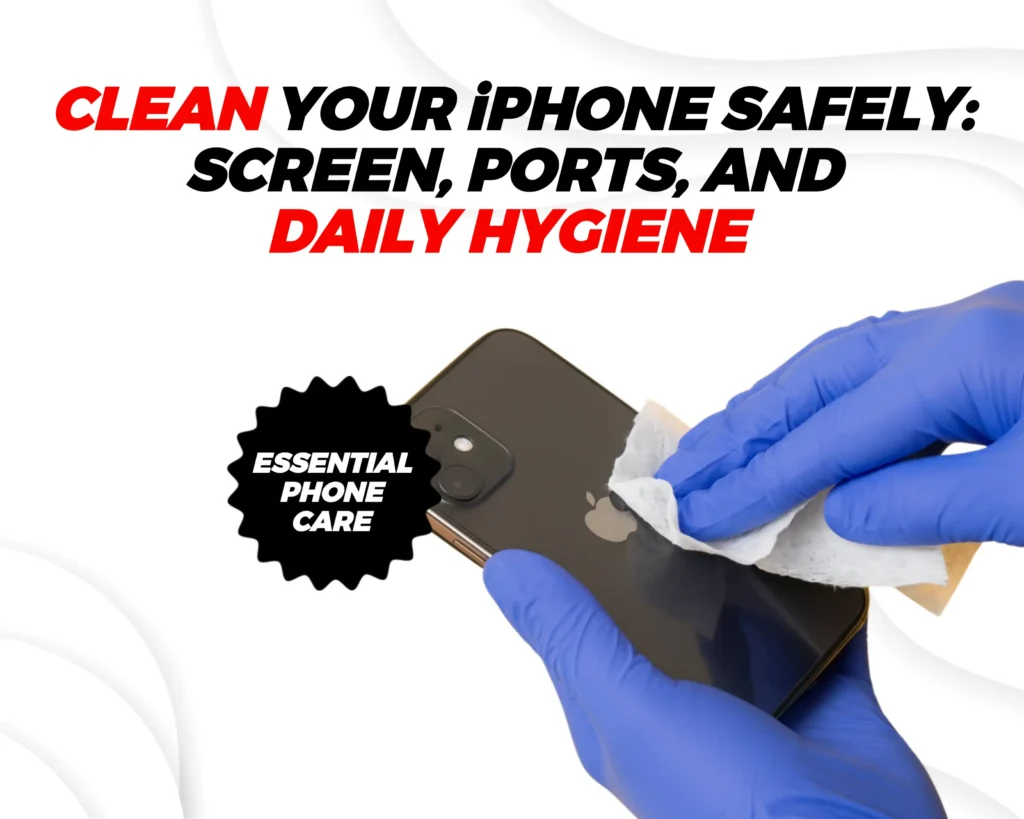
We have talked about cleaning iPhone storage, but now let’s talk about actually cleaning the iPhone itself. Once in a while, try cleaning the screens, back and ports of your iPhone properly. Use a soft, lint-free cloth so that you don’t end up scratching it up. When you do this, you should avoid abrasive cleaners, aerosols or spraying liquids directly on the phone screen. This could cause damage to your phone.
Avoid Extreme Temperatures & Moisture Exposure
This one goes without saying: avoid extreme temperatures and moisture. The components of your phone do not do well with excess heat or water. These can easily damage the phone and its batteries.
Avoid prolonged exposure to direct sunlight, hot cars, freezing environments or damp places like beside a pool. Even though most phones have some level of water resistance, it’s not worth the unnecessary risk/test. Keep the phone out of direct sunlight, hot cars, freezing environments, or damp/wet places.
You should also avoid heat-trapping cases and opt for something more functional. You are better off with something that can effectively distribute the heat and help your phone cool down, even if they are not as fancy.
Lastly, if your phone happens to get wet, dry it gently with a cloth and avoid charging immediately after till you are sure that it is entirely dry.
Good Habits for Day-to-Day Use
These tricks that can help you keep your phone in an optimal state but here’s the truth. Keeping your phone running for the long run is usually in the simple and mundane things. That said here are some of the simplest ways that you can take care of your iphone:
- Keep your phone’s brightness moderate or use Auto-Brightness so that it automatically adjusts itself. You should also try to avoid unnecessarily high screen time without breaks. These things affect your battery life in the long run.
- Despite the temptation, we suggest that you avoid using uncertified accessories (chargers, cables, cheap knock-offs). Instead you should try to acquire high-quality accessories. This would help to protect the battery and ports.
- Be mindful of moisture, dust, and dirt. If you happen to encounter any of these – like moisture, wipe the screen and clean the ports occasionally.
- Use a protective case screen protector, especially if you carry your phone everywhere. This helps your phone through those unforeseen falls and drops.
When to Consider Repairs / Replacements
Accidents happen, and sometimes no amount of tips can prevent damage to your iPhone. So, despite all the advice we’ve shared, it’s still important to know when maintenance tips won’t be enough and repair or part replacement is the better option to keep your phone running at its best. That said, here are a few situations where these tips won’t be as effective and repairing your iPhone becomes necessary:
If battery health drops significantly, especially once it crosses the 80% threshold then you should look towards replacement rather than management.
Also, if the screen or ports get damaged, you definitely need repairs. In such cases you should avoid DIY fixes. Instead, get certified service to avoid further damage.
Final Words: Consistency Is Key
So heres the honest truth, these tricks and tips are good but thats not all there is to it. Infact, the best care that you can give to your phone is in the little things that you do daily.
You need to remember that with the proper iPhone care you can effectively extend your phone’s lifespan. So with the tips that you have you should be able to preserve performance and avoid premature replacements.
Faqs on iPhone Care Tips
How do I take good care of my iPhone?
Take care of your iPhone by avoiding drops and water, using a good case and screen protector, keeping it away from extreme heat, updating iOS regularly, and charging it properly. Also, avoid using fake or low-quality chargers.
Why should you only charge your iPhone to 80%?
Charging to 80% reduces stress on the battery. Lithium-ion batteries wear out faster when they’re kept at 100% for long periods. Stopping around 80% helps slow battery aging and keeps battery health higher for longer.
How can I keep my iPhone healthy?
To keep your iPhone healthy, avoid overheating, don’t let the battery drain to 0% too often, use Optimized Battery Charging, keep storage from getting too full, and close or uninstall apps you don’t use.
Should I charge my iPhone every night?
It’s okay to charge your iPhone overnight occasionally, especially if Optimized Battery Charging is turned on. However, doing it every night can slowly wear down the battery over time. If possible, charge earlier in the evening and unplug before sleeping.
Is dark mode better for battery?
Yes, on iPhones with OLED screens (iPhone X and newer). Dark mode uses less power because black pixels are turned off, which helps save battery. On LCD iPhones, the difference is minimal.
What kills your iPhone battery health?
Heat is the biggest enemy. Other things include constant fast charging, using the phone while charging, letting the battery drop to 0% frequently, keeping it at 100% for long periods, and using cheap chargers.
What is the 80/20 battery rule?
The 80/20 rule means keeping your battery level between 20% and 80% as much as possible. This reduces battery stress, slows degradation, and helps your iPhone battery last longer overall.
