
Buying or selling phones, especially online, comes with its own set of risks. While most people are cautious about fake listings or damaged devices, one common issue that most people don’t even consider is blacklisted phones.
In this guide, you’ll learn what it means for a phone to be blacklisted, why it matters, and how to check a device’s status before you buy or sell it.
What Does It Mean When a Phone Is Blacklisted?
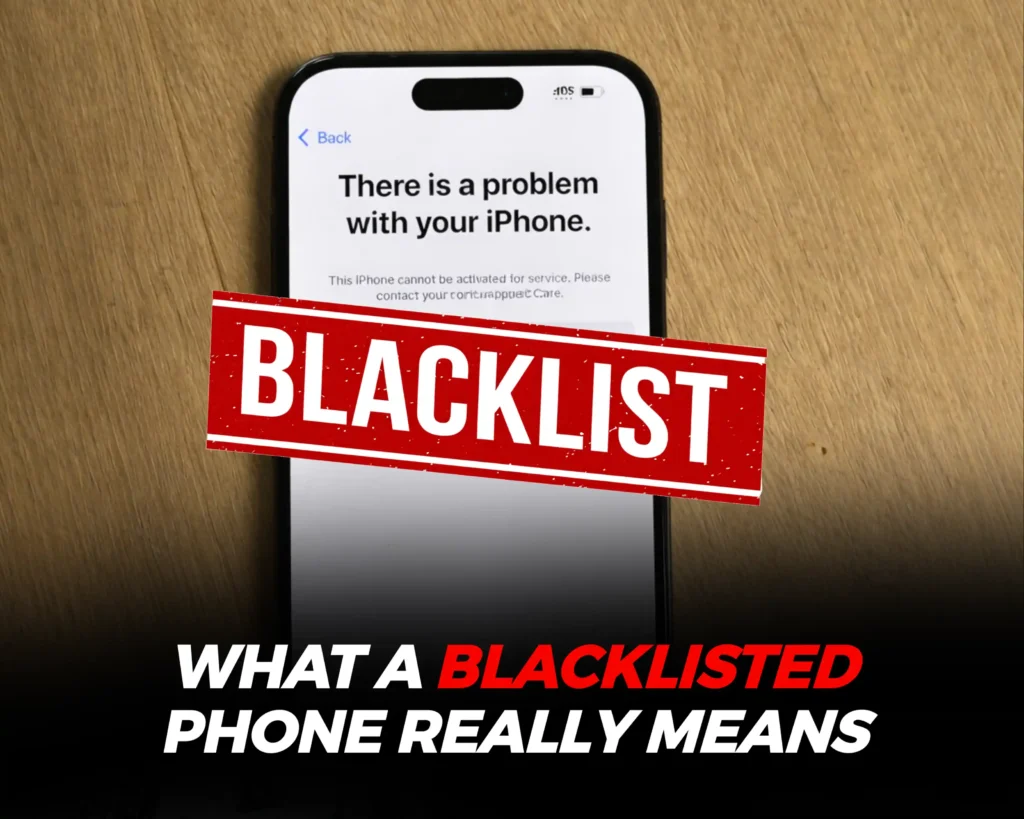 A blacklisted phone is a device that has been reported as stolen, lost, unpaid for, or flagged by a mobile network carrier. When this happens, the phone’s unique IMEI number is added to a carrier blacklist effectively barring it from network features, making it largely unusable for normal phone functions.
What Happens to a Blacklisted Phone?
A blacklisted device may lose access to the following features:
- Making and receiving phone calls
- Sending and receiving SMS messages
- Using mobile (cellular) data
- Connecting to mobile networks via a SIM card
While the phone may still work over Wi-Fi, its core cellular functions are usually disabled.
Why Checking for a Blacklisted Phone Matters
A blacklisted phone is far less functional than a clean device. Even if it powers on and connects to Wi-Fi, it most likely will be useless for everyday communication.
More importantly, blacklisted phones are sometimes stolen devices. And being caught in possession of one, especially unknowingly, can lead to serious complications when the authorities get involved; you can end up being suspected as the thief.
Additionally, many mobile carriers share blacklist information across networks and, in some cases, internationally. Meaning a phone blocked in one country may also be unusable elsewhere.
How to Check If a Phone Is Blacklisted Using IMEI
The fastest way to confirm a phone’s status is by using an online IMEI blacklist checker. These tools scan databases to determine whether an IMEI has been flagged. To do that, first you have to get the device’s IMEI and here’s how:
You can find a phone’s IMEI using any of the following methods:
- Dial *#06# on the phone to instantly display the IMEI
- Check the settings
- iPhone: Settings > General > About
- Android: Settings > About Phone (menu names may vary slightly)
- Physical locations
- Original phone box
- SIM tray
- Carrier account or receipt
Once you have the IMEI number, the next step is to verify its blacklist status using the following methods;
Free IMEI Checker Websites
Some free IMEI checking platforms you can use today:
After entering the IMEI, you should receive information on:
- Phone model
- Carrier details
- Blacklist status
Checking blacklist status when buying a refurbished or second hand phone is very important to avoid getting scammed or unknowingly buying a semi-functional phone.
Important note: An IMEI may appear “clean” on some tools but still be blocked by a specific carrier. When this happens, you can confirm directly with the network provider you plan on using the device on.
What to Do If Your Phone Is Blacklisted
 If you discover that a phone is blacklisted after purchase, your options may be limited,but there are still a few steps you can take.
1. Contact the Network Carrier
Reach out to the carrier associated with the blacklist using the IMEI number. In rare cases, blacklisting errors can be corrected if the phone was wrongly flagged.
2. Return the Phone to the Seller
If you bought the device second-hand, returning it for a refund is usually the best option. Once a phone is blacklisted, reversing it can be difficult or impossible without the original account holder.
3. Be Cautious With Third-Party Tools
Some third-party software claims to fix blacklist issues. However, in most cases, only the carrier that blacklisted the IMEI can remove it. Be cautious of services that promise guaranteed blacklist removal.
4. Sell Blacklisted Phone To The Whiz Cells
Unlike most other buyback platforms, The Whiz Cells still buys and pays top dollar for blacklisted devices as long as it was not reported lost or stolen. So, if all other options don’t work, selling your blacklisted phone to The Whiz Cells is worth considering.
Conclusion
Buying a blacklisted phone is like purchasing a device with its most essential features disabled. To avoid this situation, always check the IMEI number before completing a purchase,especially when dealing with used or refurbished phones.
If a phone turns out to be blacklisted, your safest options are to contact the carrier or return the device to the seller. With the right precautions, you can protect yourself from unnecessary losses and avoid costly mistakes.
Frequently Asked Questions on Blacklisted Phones
Can a blacklisted phone be used at all?
A blacklisted phone may still work on Wi-Fi, but it typically cannot make calls, send texts, or use mobile data.
Will buyback companies accept blacklisted phones?
Yes, The Whiz Cells accepts blacklisted phones as long as it wasn’t reported lost or stolen.
Can a blacklisted phone be unblocked?
In most cases, only the carrier that blacklisted the phone can remove the restriction. This usually requires the original account holder.
Is checking IMEI free?
Yes, many IMEI blacklist checkers offer free basic checks, though some detailed reports may require payment.
