
A blacklisted phone looks just like any other phone, until you try to use it.
No calls. No mobile data. No network connection. Effectively erasing the “phone” from Smartphone.
Here’s what most people miss: the block isn’t on your hardware. It’s on your IMEI, your device’s unique identity number. The screen still works. The camera still works. The processor, the battery, the sensors, all of it still works. Your phone isn’t broken. It’s identity-blocked.
That distinction matters, because it means your blacklisted phone just got a new job. Possibly several.
What Does “Blacklisted” Actually Mean?
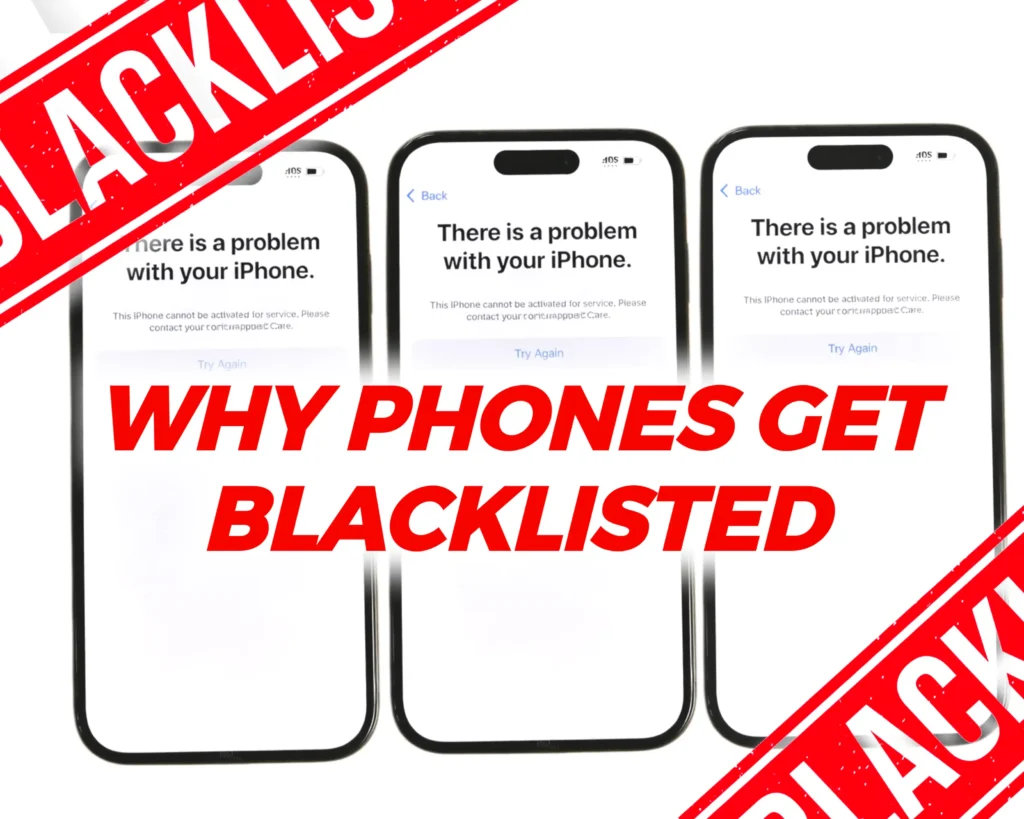 A blacklisted phone is a device that’s been marked as lost, stolen or not fully paid for, because of this, its access to cellular services has been cut off. Every device comes with its own unique IMEI number, which serves as its identity, and that is what is cut off by carriers.
To be clear, a blacklisted phone will no longer be able to make calls or have access to cellular services, but it isn’t dead just yet. There are still a number of ways that you can put a blacklisted phone to use.
9 Things You Can Still Do with a Blacklisted Phone
Here are 9 ways that you can make use of your phone rather than having it lie dormant.
1. Use It on WiFi
A blacklisted phone may be prevented from making calls, sending texts, and using data, even with a valid SIM, but it can still access the internet using a Wi-Fi connection. Basically, the phone will be able to access social media and do other internet-enabled tasks with a Wi-Fi connection.
So with WiFi, you can still do things like
- Browse the internet.
- Use social media
- Stream YouTube/Netflix
- Download apps.
- Make calls, and texts using apps like Whatsapp
2. Become Your Dedicated AI Assistant
This is the one people seriously underrate, and honestly, it might be the smartest move on this list.
Set the phone up with tools like ChatGPT, Claude, Gemini, and Perplexity. Then strip everything else out. No social media, no random notifications, no noise. Just a clean setup built for thinking, researching, and writing.
Your main phone is basically a distraction machine. This one becomes your focus device. Writers, students, even remote workers are already doing this with old phones on purpose, and it actually works.
3. Use It as a Media Device
Another way you can put your blacklisted device to good use is to make it a media device. It goes from a phone to a portable Netflix and chill buddy. You can have your streaming services installed on it or dedicate its storage to acquiring movies and watching them on your device.
The idea is to transform it from a multipurpose device to a single-purpose device whose functions don’t have to include making calls and sending texts. You could turn your blacklisted phone into your personal:
- Music player
- Video streaming device
- E-reader
4. Use It as a Camera
If the phone has a decent camera, don’t let it collect dust, put it to work. A blacklisted phone makes a surprisingly capable dedicated shooter, whether you’re capturing memories at a picnic, leveling up a photography hobby, or just want a backup device for content creation.
No cellular service required. Just charge it, open the camera app, and shoot.
Use it for:
- Photography and everyday shots
- Video recording
- A dedicated content creation device, separate from your main phone
5. Become the Kids’ TV
A controlled, WiFi-only device for games, YouTube Kids, and learning apps. No cellular charges. No accidental calls. No risk of a kid stumbling onto something they shouldn’t.
Load it up, set parental controls, and hand it over. It’s more practical than a tablet in some cases because kids already know how to use a phone.
It also works as a travel device. Hotel WiFi, airport lounges, anywhere you’d otherwise worry about roaming charges.
6. Use It for Apps That Don’t Require Cellular Service
Not every app needs a SIM card to be useful. A blacklisted phone on Wi-Fi can run messaging, productivity, and communication apps just as well as any other device, making it a solid candidate for a dedicated work or backup phone.
Offload the heavy stuff from your main device and keep it here instead. Think:
- WhatsApp & Telegram for messaging and calls over Wi-Fi
- Zoom
- Email to stay on top of work from a separate device
- Productivity apps for notes, tasks, and documents
That way, your blacklisted phone becomes your work phone or creativity phone, depending on what you are into.
7. Use It as a Smart Home Controller
This has to be one of the best ways you can make use of your blacklisted phone. If you have smart home appliances and gadgets, then you can turn your blacklisted phone into a smart home controller. Do note, that devices need certain sensors (like an IR Blaster, UWB, etc) for this to work flawlessly, but as long as your devices are on the same network, it should work well-enough.
Your blacklisted phone paired with an app like Samsung SmartThings can be used to control things like;
- Smart lights
- Smart speakers; Google Nest, Alexa
- Appliances
This can easily take the device from being a nigh useless blacklisted mistake to one that’s vital for your home and its functionality.
8. Use It as a Secondary Device
Simple and practical. When your main phone needs repair, travels with you somewhere you don’t want to risk it, or just runs out of battery at the wrong moment, the blacklisted phone is already set up and ready.
It’s not glamorous but it’s the option you’ll be glad you kept.
9. Sell Your Blacklisted Phone (The Smart Exit Option)
If your phone is blacklisted and no longer useful to you, selling it is often the smartest and most stress-free option. Even though the device can’t access cellular networks, it still holds value.
Instead of letting the phone sit unused in a drawer, you can sell it on platforms that accept/buy blacklisted phones legally. One of the best places to sell your blacklisted phone for the most money is The Whiz Cells, which allows you to:
- Get an instant quote for your blacklisted phone
- Sell without worrying about carrier restrictions
- Ensure your device is handled and recycled responsibly
- Recover some cash instead of losing the phone’s value entirely
One thing to keep in mind: the reason behind the blacklisting matters. A phone flagged for an unpaid contract is a different story from one reported stolen. Some platforms will reject devices with a theft report on the IMEI, so it’s worth checking your phone’s status before trying to sell it.
 Conclusion
 Conclusion
A blacklisted phone isn’t the end of the road, it’s just a shift in what the device can do. Strip away cellular access and you’re still left with a capable piece of tech: a camera, a media device, a smart home controller, or even a focused work tool.
Work through the options and pick what actually fits your lifestyle. And if none of them make sense for you, selling it is still a smart move.
Either way, don’t let it sit in a drawer. It’s still useful, you just need to use it differently.
Faqs on Things That You Can Do With a Blacklisted Phone
Can I unlock a blacklisted phone?
Unlocking and blacklisting are two different things. Unlocking removes carrier restrictions so you can use any SIM, blacklisting blocks the device from cellular networks entirely via its IMEI. Unlocking a blacklisted phone won’t restore cellular access. You’d need to get the blacklist status cleared first, which typically means resolving the underlying issue with the carrier directly.
Can a blacklisted phone be used?
Yes, just not as a traditional phone. Without cellular access, it still works on WiFi for browsing, streaming, messaging apps, and more. Think of it as a tablet that happens to be shaped like a phone.
Is a blacklisted phone worth anything?
It is. The device still has value in its components, screen, camera, battery, and internal hardware. Buyback platforms like TheWhizCells.com will make you an offer, though expect less than you’d get for a clean device.
Can a blacklisted phone be fixed?
Sometimes. If the blacklisting was due to an unpaid contract, settling the balance with the carrier can get the IMEI cleared. If it was reported stolen, the process is harder and typically requires a police report and carrier involvement. There’s no universal fix.
What happens if I put my SIM card in a blacklisted phone?
Your SIM will be recognized, but the device won’t connect to any cellular network. No calls, no texts, no mobile data. The SIM itself is fine, the block is on the phone’s IMEI, not the SIM.
How much does it cost to unblock a phone?
It depends on the reason for the blacklisting. If it’s an unpaid bill, you’re paying off the outstanding balance. If it’s a lost or stolen report, costs vary by carrier and region, and some won’t unblock it at all. Avoid third-party “IMEI cleaning” services, most are scams.
Is it illegal to sell a blacklisted phone?
Not inherently, but context matters. Selling a phone you know was stolen is illegal. Selling one blacklisted for a missed payment is generally fine, though you should disclose its status to the buyer. Platforms like TheWhizCells.com handle blacklisted devices legally and transparently.
Can you use WhatsApp on a blacklisted phone?
Yes. WhatsApp runs over WiFi and doesn’t need cellular service to function. Calls, messages, and media all work normally as long as you have a WiFi connection.
